

Prerequisites
You must connect a data source to your Connect AI account. See Sources for more information.Connect to Connect AI
To establish a connection from APOS to the Connect AI Virtual SQL Server API, please follow these steps.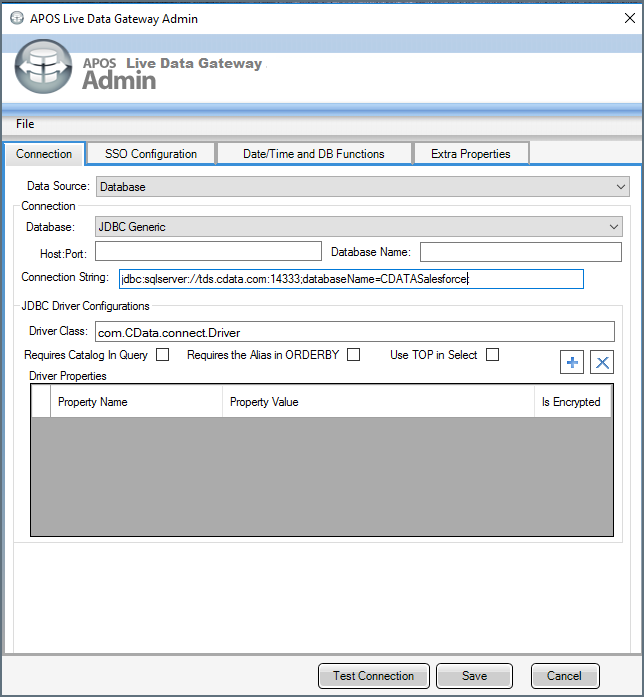
Enter the connection information in the Connection tab of the dialog that appears.
- Data source—select Database
- Database—select JDBC Generic
- Connection String—supply the connection string information in this format, where databaseName is the name of a configured connection in Connect AI:
jdbc:sqlserver://tds.cdata.com:14333;databaseName=MyConnectionName; - Driver Class—set to
com.CData.connect.Driver(this should be set by default)