Prerequisites
Before you can configure and use JDBC with Embedded Cloud, you must first connect a data source to your account. See Sources for more information.Install the Driver
Download and run the JDBC setup file for your operating system.Create a JDBC Data Source
Follow these steps to create a JDBC data source to connect to Embedded Cloud from your Java application:Add the driver JAR file to the classpath. The JAR file is located in the
lib subfolder of the JDBC driver for Connect AI installation directory.Note: The .lic file must be located in the same folder as the JAR file.
Some applications automatically populate the driver class. For applications that do not automatically populate it, you must enter it manually. For example:
Provide the JDBC URL. For example:orThe second format above can be used to ensure you are using the CData driver whenever there is a conflict in your application between drivers using the same URL format. The URL must start with either
jdbc:connect: or jdbc:cdata:connect:, and it must only include the AuthScheme setting as OAuth.Designate a Log File
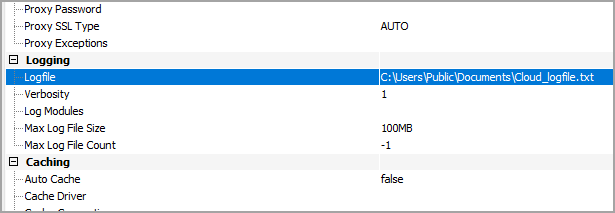
You can designate a log file for the JDBC driver in the Advanced tab of Connection Properties. You can also change the verbosity of the log file for greater detail.